01
The conversation history lives on the candidate profile
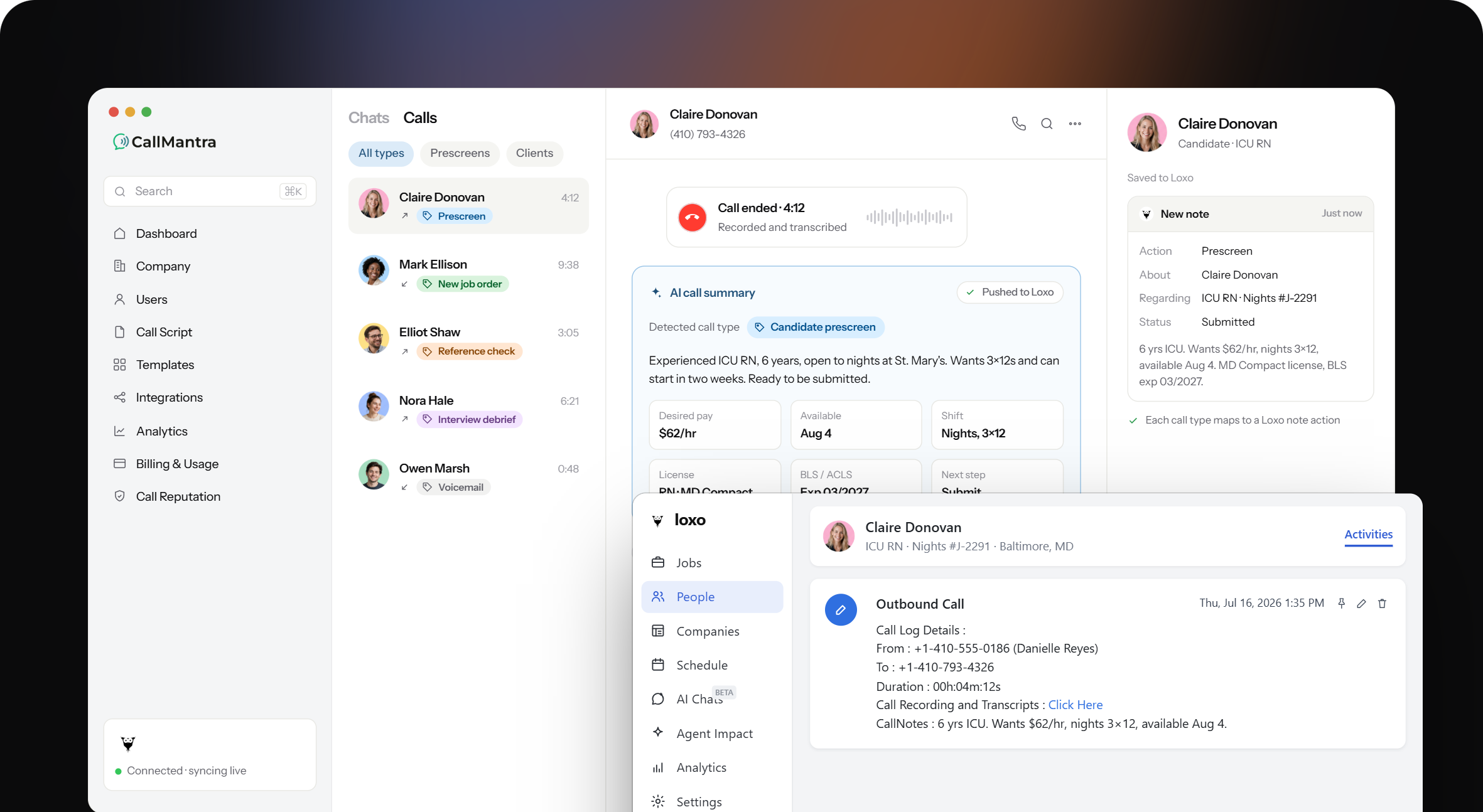
Every call and text made through CallMantra gets matched to the candidate and saved to Loxo, so anyone on the search can pick up right where the last recruiter left off.
Loxo runs your search. CallMantra handles the phone calls, texting, dialing, and AI notes, with every conversation connected back to the right candidate in Loxo.
 About Loxo
Loxo helps recruiting teams manage candidate sourcing, outreach, and their recruiting pipeline in one place. CallMantra complements Loxo with AI-powered calling and texting, helping recruiters reach candidates, follow up faster, and keep communication organized.
Every call and text made through CallMantra gets matched to the candidate and saved to Loxo, so anyone on the search can pick up right where the last recruiter left off.
CallMantra transcribes every call, tells a candidate screen from a client call from a reference check, and writes a summary that fits the conversation. Comp expectations, motivations, notice period, and relocation all get captured, so the profile shows what the candidate actually said.
Text candidates one-to-one from your business number, and every message and reply stays with the candidate in Loxo. CallMantra’s AI can draft a personalized text from the candidate’s background and the role, or your team can use its own saved templates.
Ask AI lets recruiters ask questions about a candidate and get answers based on their call history, messages, resume, and job information. No need to revisit old conversations or switch between tabs to piece everything together.
Text every candidate on a list at once with Power SMS, or set up SMS Sequencing so follow-ups go out on schedule and stops the moment someone replies.
CallMantra's Power Dialer actually works the list: back-to-back calls, one-click pre-recorded voicemails, follow-up texts, and each result logged as it happens.
Your calls might appear as a "Spam Risk” on candidates phones. CallMantra monitors recruiter numbers across carriers, helps get flagged numbers delisted, and uses Verified Caller ID so your firm's name shows up on the screen instead.
CallMantra pulls the resume, the job description, and your call with the candidate into one set of pitch-ready talking points for the client conversation.
Calls, texts, talk time, and replies for each recruiter or the whole firm. See activity across the whole team or drill down into individual recruiters.
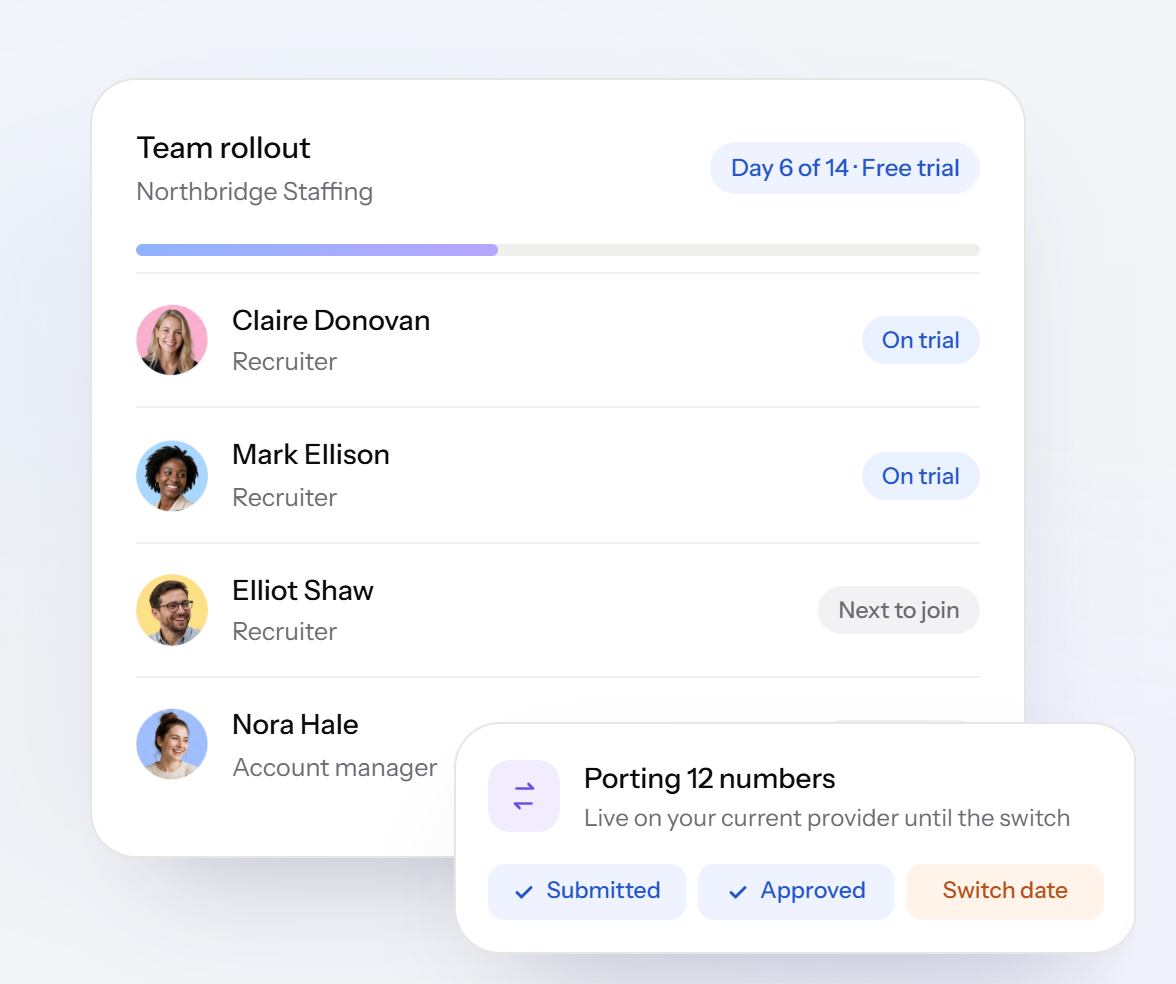
Put one or two recruiters on 14 days of free Premier access, connected to your Loxo account. No credit card required, and no need to disrupt the searches already running.
Port your existing numbers whenever suits you. Your current provider keeps working until you're ready to make the switch, and our CS team keeps you posted the whole way through.
Once your recruiters have seen it working, bring the rest of the firm over. Onboarding is free, billing stays month-to-month, and there's nothing locking you in.
Already running another phone system with Loxo? Here's how CallMantra compares with the tools Loxo teams use most.
No. Loxo's own help center says you need a VoIP provider account to make calls from Loxo. CallMantra is a phone provider built specifically for recruiting firms, with calling, texting, dialing, and AI call notes all in one system.
The best Loxo integrations depend on how your team handles candidate communication, calling, and recruiting workflows.
CallMantra connects with Loxo to bring calling and texting into your recruiting process, with features like AI call summaries and text logging to help recruiters spend less time on admin and more time talking to candidates.
Loxo's Call Queue hands your recruiters a list of who to call, and they record each outcome themselves.
CallMantra's Power Dialer does the dialing. It moves through the list, lets recruiters drop a voicemail in one click, fires off a follow-up text, and records what happened on every call.
Not at all.
You don't have to touch the Power Dialer. For executive search and smaller firms, the real value is usually the AI notes, the automatic logging, and having every candidate conversation connected to Loxo without anyone lifting a finger.
You can also mix plans by role, so a recruiter and a recruiting manager don't have to run the same setup.
When a candidate replies STOP, CallMantra blocks texts to that candidate from every number on your account, not just the recruiter they replied to.
Yes. Fourteen days free, full Premier access, Loxo connection included, and no credit card required. Most firms put one or two recruiters on a live search and take it from there.
Give your recruiters calling, texting, dialing, and AI-powered call notes that stay connected to every candidate in Loxo. Start with 14 days free, no credit card required.