PCRecruiter phone integration

Bring calls, texts, AI-generated notes, and automated candidate follow-ups into PCRecruiter, keeping your recruiting workflows connected and candidate records up to date

  • No long contracts
  • Keep your numbers
  • Free onboarding and number porting
About PCRecruiter About PCRecruiter

PCRecruiter (PCR), from Main Sequence Technology, combines an ATS with a recruiting CRM. It connects with phone systems through integrations. CallMantra adds calling and texting, AI call notes, and a Power Dialer to PCRecruiter, giving staffing agencies a business phone system alongside their existing recruiting tools.

How CallMantra helps

01

Spend less time logging calls

CallMantra logs calls and texts against the right candidate in PCRecruiter. Recordings and AI call summaries are saved with the activity, so recruiters do not have to go back and update records after every conversation.
02

Get useful notes from every conversation

Every call is transcribed and summarized, with notes shaped to the type of conversation. Candidate screens pull out skills, availability, and rates.

03

Ask AI instead of digging through records

Need to find a candidate detail, recap a conversation, or get up to speed before a follow-up? Ask AI helps recruiters find answers from their available call data and conversation history without digging through notes and records manually.

04

Keep candidate texts in one place

Text one-on-one or let AI personalize outreach, or teams can use shared templates. CallMantra handles 10DLC registration and applies opt-outs across every number on the account.

05

Reach your hotlist without texting one by one

Power SMS sends a text to an entire candidate list. SMS Sequencing then sends follow-up messages on schedule and stops automatically when a candidate replies.

06

Get through candidate lists faster

The Power Dialer works through candidate lists one after another. Recruiters spend less time dialing and more time talking. If someone does not answer, they can drop a pre-recorded voicemail with one click and send a follow-up text.

07

Help candidates recognize your calls

CallMantra monitors recruiter numbers across carriers and works to get flagged numbers delisted. Verified Caller ID can display your agency's name so candidates see who is calling instead of "Spam Likely."

08

See how your recruiters are performing

Get a clear view of calls, texts, talk time, and replies by recruiter or desk. Everything sits in one place.

Switch to CallMantra at your own pace

Switch to CallMantra at your own pace

  1. 01

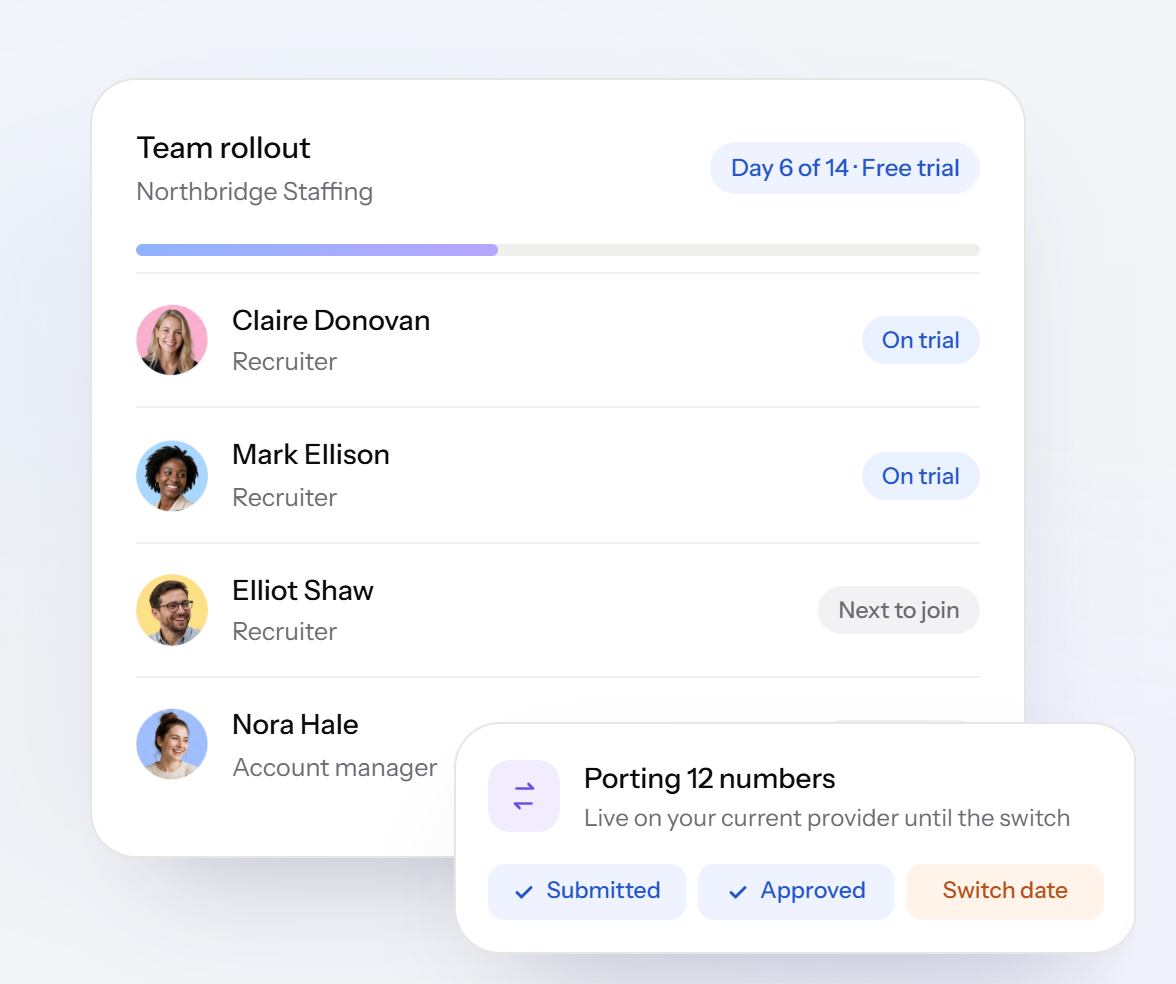
    Try it with a few recruiters

    Start with one or two recruiters on a 14 day free plan. Get access to all Premier features with no credit card required. See how it fits your team's day-to-day workflow before committing.

  2. 02

    Bring your numbers with you

    We'll handle the number transfer and keep your current provider running until the switch is complete. Need new numbers? We've got those too.

  3. 03

    Onboard your entire team

    Once you're happy with CallMantra, bring it to the rest of your agency. Onboarding is free, plans are month-to-month, and there are no long-term contracts.

Compare CallMantra

Already using another phone system with PCRecruiter? See how CallMantra compares with the tools your team may already know.

Frequently asked questions

How is CallMantra different from PCRecruiter's RingCentral integration?

PCRecruiter's RingCentral integration logs calls and texts as activities, supports click-to-dial and bulk texts from lists, and looks up incoming callers.

CallMantra also logs calls and texts as activities, with additional features including:

  • Automatic AI call summaries
  • Field updates based on the type of call
  • Ask AI
  • Call intelligence
  • A Power Dialer with VM drop
  • SMS Sequencing
  • Phone number reputation monitoring
  • Month-to-month plans
Will CallMantra activities show up in our PCR reports?

They will, because each call and text is saved as an activity with a type and result, following the same general approach PCR uses for phone activity.

Can we text a PCR list?

Yes. Power SMS can send text messages to an entire list, and SMS Sequencing follows up until someone replies. Both features are included in the Premier plan.

Can I send bulk text messages and candidate outreach campaigns with CallMantra?

With CallMantra’s Power SMS, you can send out messages to a bunch of candidates at once.

Recruiters can also use reusable templates and AI-assisted personalization to send messages for interview scheduling, availability checks, job updates, and other recruiting follow-ups.

How difficult is it to set up the CallMantra and PCRecruiter integration?

It’s pretty straightforward. Our team will guide you and handle most of the process during the transition.

Setup time depends on your account configuration, users, and requirements. You can tell us more about your current calling and texting setup during a demo to understand what's needed before rollout.

The #1 phone system
for PCRecruiter users

Manage calls, texts, AI-generated notes, and candidate outreach campaigns in one place, with activity synced to your ATS.