01
Turn your calls into notes
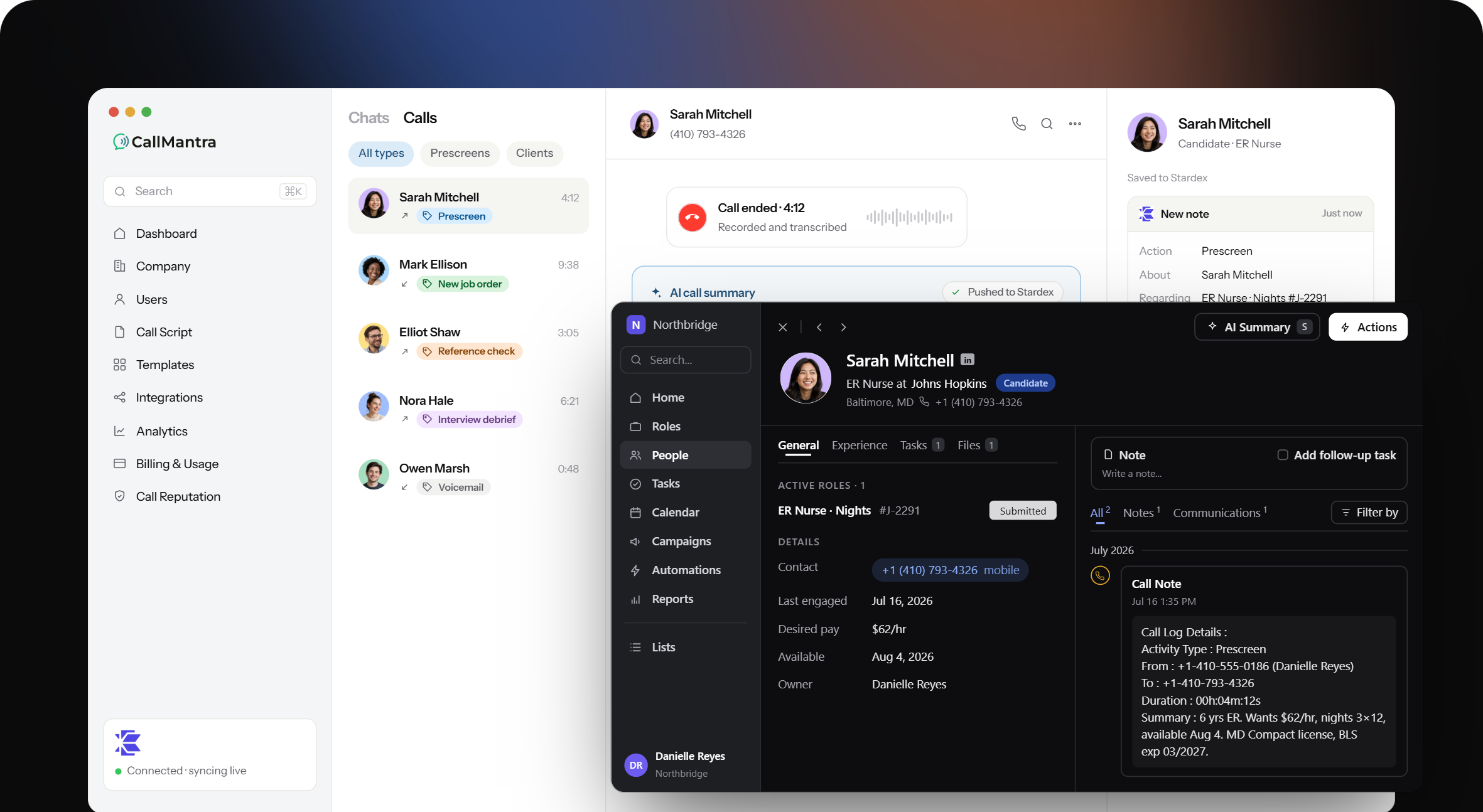
Every call is transcribed and summarized automatically, and the summary fits the kind of call it was, whether that's a candidate screen, a client call or a reference check.
Bring calls, texts, voicemails and AI call summaries into Stardex, so every phone conversation sits next to the email and meeting history Stardex already has
 About Stardex
Stardex is an AI-native ATS and CRM built for executive search and recruiting firms. It pulls candidate information and recruiting activity into one place. What it doesn't come with is its own phone or texting service.
Every call is transcribed and summarized automatically, and the summary fits the kind of call it was, whether that's a candidate screen, a client call or a reference check.
Calls, texts and voicemails are matched to the right person in Stardex and saved to their record, right beside the email and meeting history Stardex already captures.
Send one-to-one SMS and MMS from your business number. Let AI personalize a message, or save your best ones as team templates. Replies stay with the right person in Stardex.
Send a personalized text to an entire candidate list with Power SMS, or set up a sequence that does the following up for you. SMS Sequencing stops the moment a candidate replies, and every message is logged.
Load a list into a campaign and the Power Dialer calls through it back to back. Drop a voicemail in one click, send a follow-up text, and log automatically.
Instead of opening call transcripts, reviewing notes, and switching between candidate profiles, recruiters can ask AI a question and get relevant information from the candidate’s calls, conversations, resume, and job details in one place.
CallMantra monitors recruiter numbers for spam flags, helps get flagged numbers cleaned up, and uses Verified Caller ID so candidates see your firm's name when you call.
CallMantra takes the candidate's resume, the job description and what they told your recruiter on the call, and turns them into talking points you can bring straight to the client.
Calls, texts, talk time, voicemails, missed calls and replies are captured automatically. Look at the whole team, or zoom in on one recruiter.
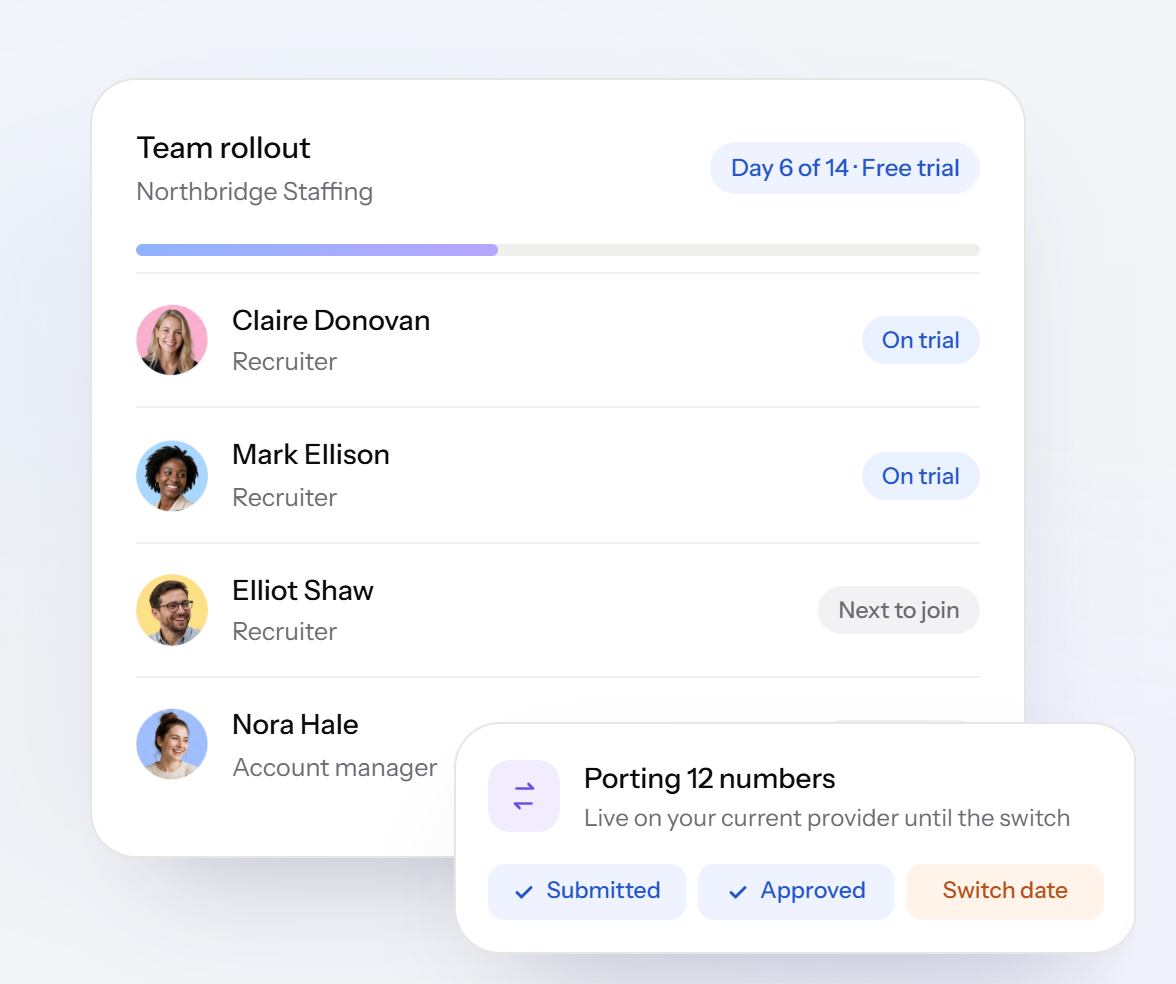
No need to change every recruiter's setup on day one. Begin with a 1-2 recruiters, see how CallMantra sits inside your Stardex workflow, and widen it when you're ready.
You get 14 days of full Premier access, connected to Stardex. No credit card required.
CallMantra handles the porting. Your current numbers stay live until you decide to switch. Plans are month-to-month and you can also mix plans by seat
Already running another phone system with Stardex? Here's how CallMantra compares with the tools Stardex teams use most.
Not on its own.
Stardex connects to outside phone systems through its integrations directory, which lists CallMantra, Ringover, RingCentral and Devyce under VoIP systems. CallMantra supplies the calling and texting, then sends supported phone activity back to Stardex.
Stardex's integrations directory lists 5 phone tools (as of 6th Nov 2026) under VoIP systems: CallMantra, Ringover, RingCentral, Devyce and WhatsApp.
Supported calls and outreach activity, texts, voicemails, and call summaries or notes can be attached to the recruiting record. You pick which supported activity types get recorded.
Here's how to connect the tools according to Stardex's CallMantra integration listing:
Yes. CallMantra can be your phone system with Stardex. Switching includes porting your existing numbers, and your current service stays live until you're ready to make the move.
Give your team a business line for calls and texts, with voicemails and AI summaries saved next to the rest of each person's recruiting history in Stardex.