Bullhorn power dialer for staffing agencies

Load a candidate list and CallMantra dials it for you, one call after another. Talk when they answer. If they don't, leave a voicemail and text in one click. Every call is logged to Bullhorn.

  • Month-to-month
  • Keep your numbers
  • Start with 1 or 2 recruiters
Bullhorn ==power dialer== for staffing agencies

How does a Bullhorn power dialer work with CallMantra?

Bullhorn ATS & CRM doesn't include a built-in dialer. To call candidates from your lists, you need a phone system that integrates with Bullhorn.

CallMantra brings calling and texting together for staffing agencies. Its Power Dialer works through a list of Bullhorn candidates or contacts, placing one call at a time. When someone answers, the recruiter can start talking right away. If there's no answer, they can leave a voicemail with one click and send a follow-up text from the same business number.

Call outcomes and AI summaries are saved to the relevant Bullhorn record, so recruiters spend less time updating records and more time speaking with candidates.

Here's what you can do with CallMantra

Turn your Bullhorn Tearsheet into a call list
Tearsheets to dialer

Turn your Bullhorn Tearsheet into a call list

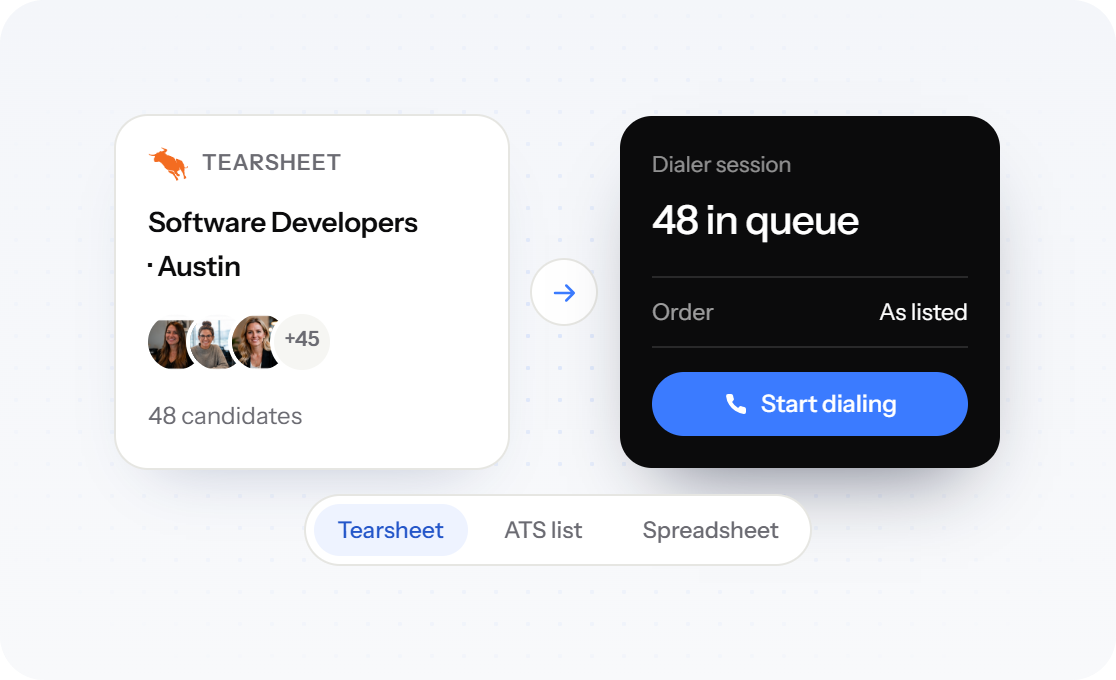
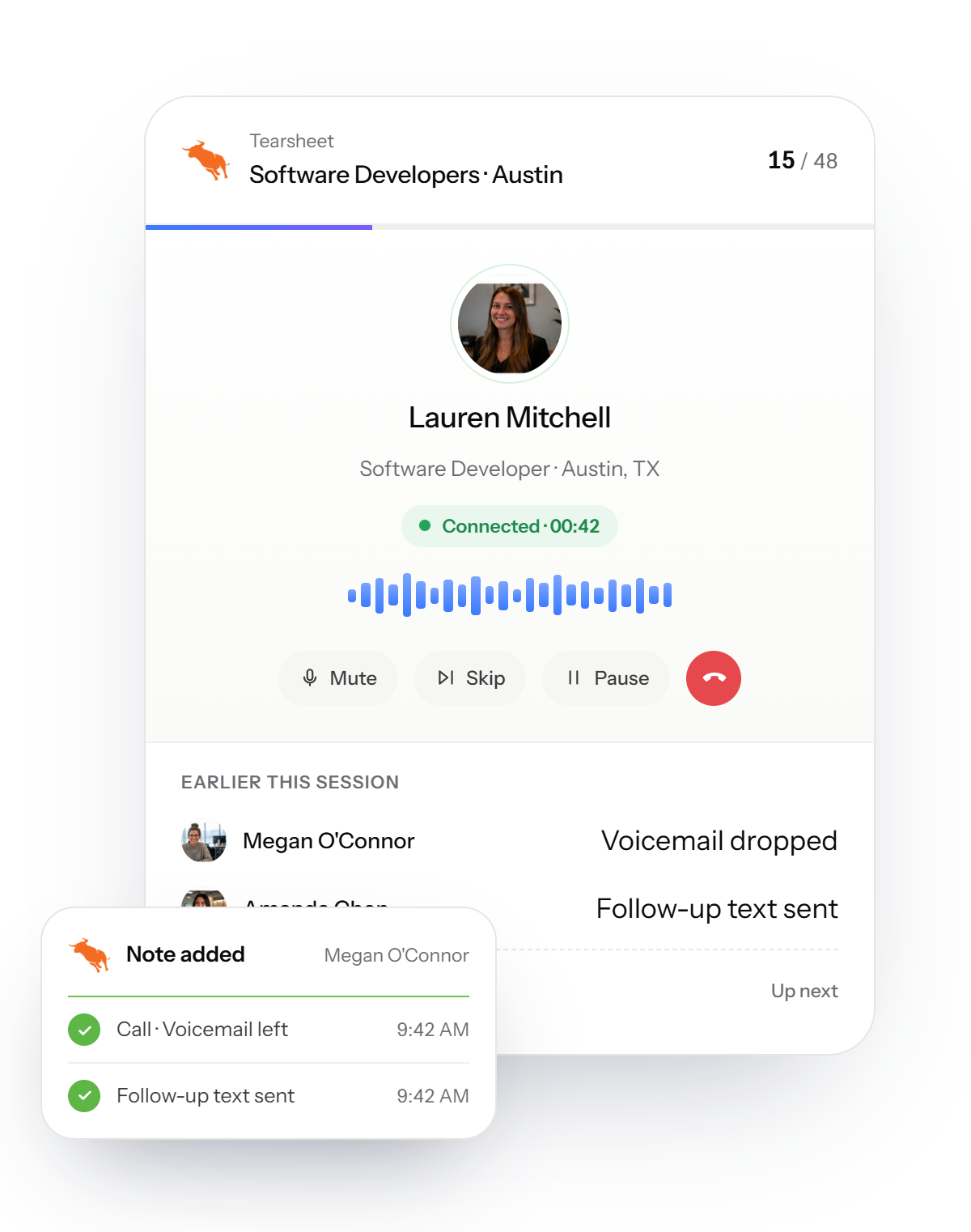
Load a Bullhorn Tearsheet into a dialer session and work through candidates in your chosen order. You can also use supported ATS lists or upload a spreadsheet, without rebuilding your Bullhorn call list manually.

Move from one live call to the next
Power dialer

Move from one live call to the next

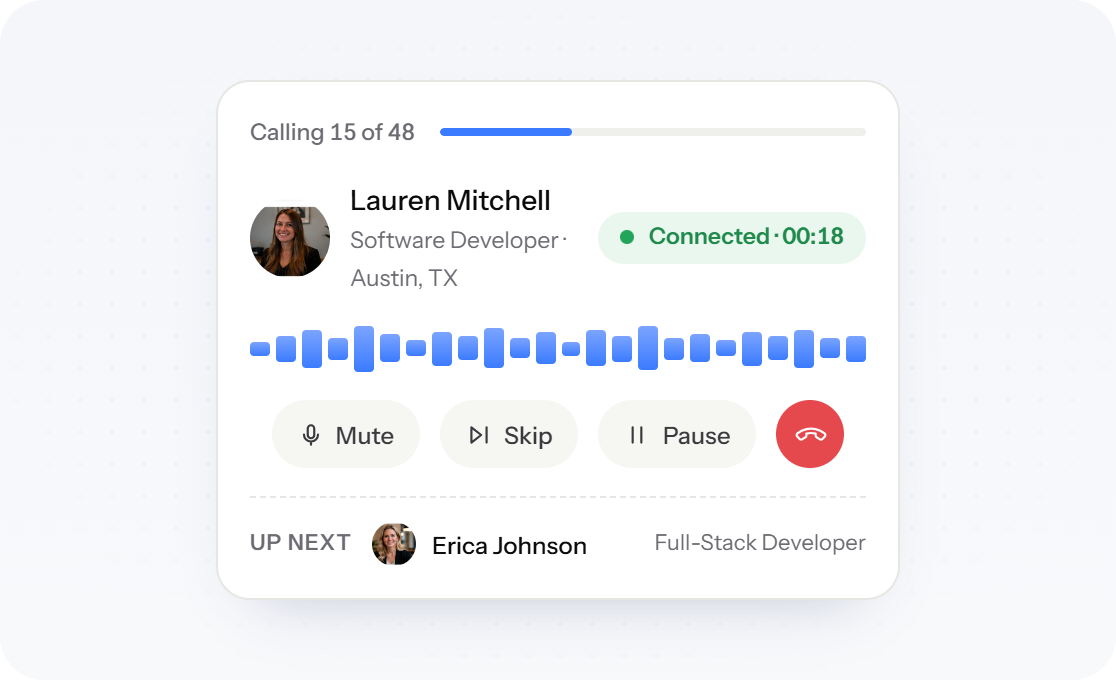
CallMantra dials one candidate at a time and connects you when someone answers. Skip a candidate or pause the session when needed.

Leave a voicemail in one click
Voicemail drop

Leave a voicemail in one click

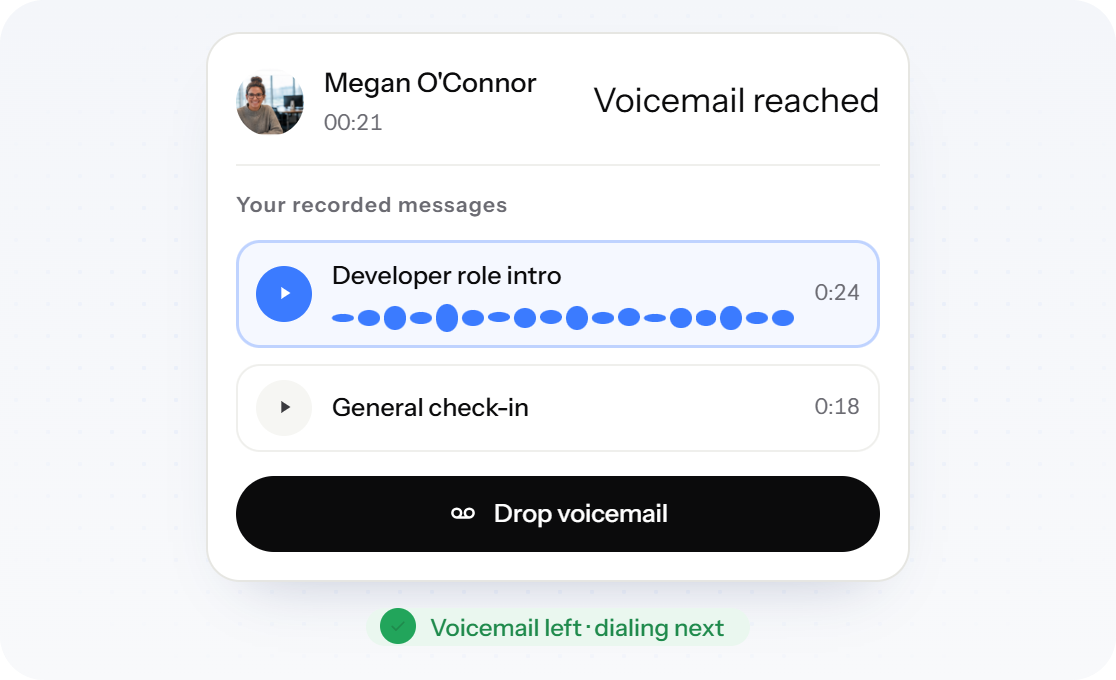
Record your message once and use it whenever a call reaches voicemail. Leave it and move straight to the next candidate, without waiting for the beep or repeating the same message. CallMantra's Bullhorn voicemail drop helps recruiters handle unanswered calls without slowing down the session.

Follow up when candidates don't answer
Follow-up texts

Follow up when candidates don't answer

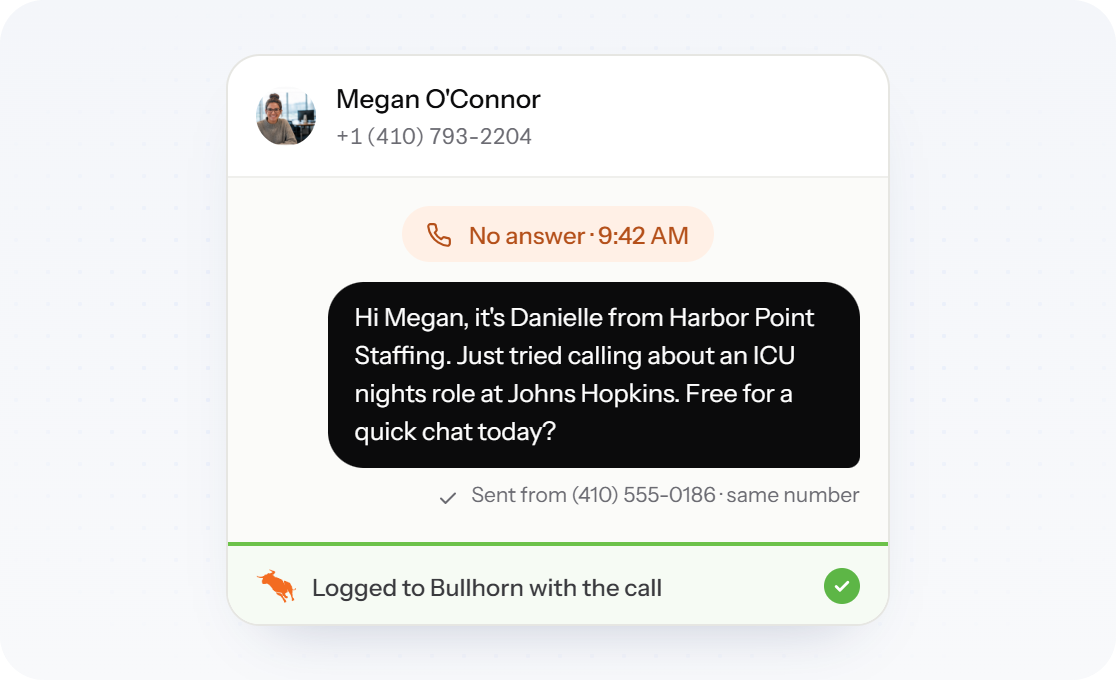
Send a text from the same number after a missed call, giving candidates context about who called. The message is logged to Bullhorn alongside the call.

Keep call records up to date automatically
Logging and AI notes

Keep call records up to date automatically

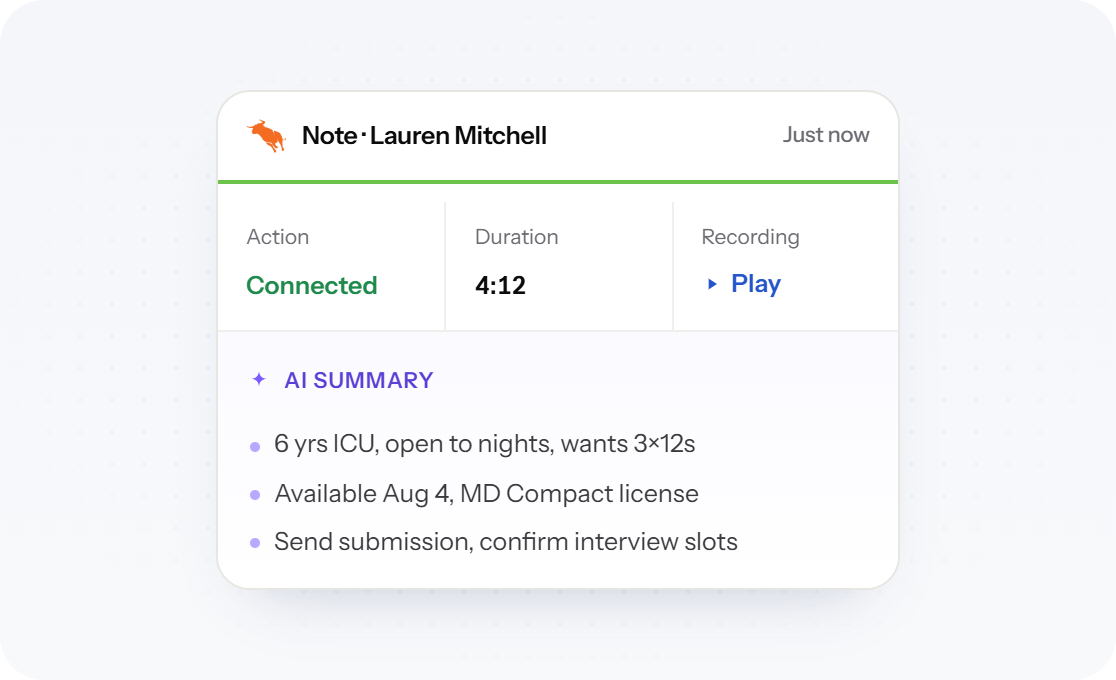
Call outcomes are saved to the matching Bullhorn candidate or contact. Connected calls are recorded and transcribed, with an AI-generated summary added to the note.

Help protect your numbers from spam labels
Number reputation monitoring & delisting

Help protect your numbers from spam labels

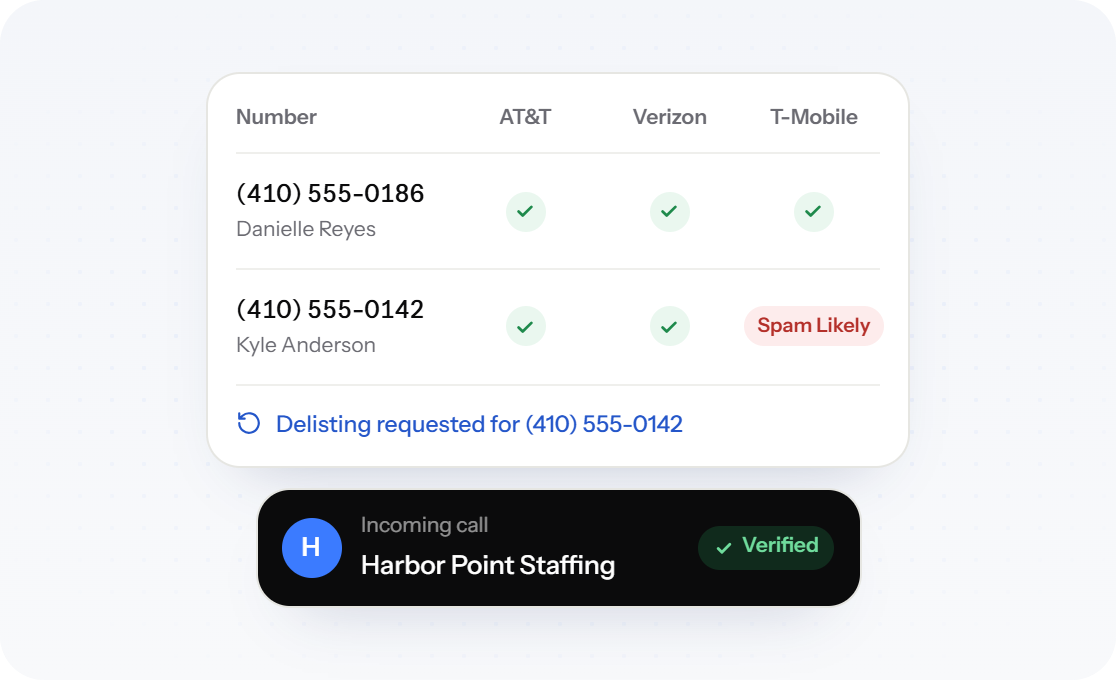
CallMantra monitors recruiter numbers for spam labels across carriers and helps get flagged numbers delisted. Verified Caller ID helps candidates identify your agency when you call.

See dialing activity across your team
Recruiter Analytics

See dialing activity across your team

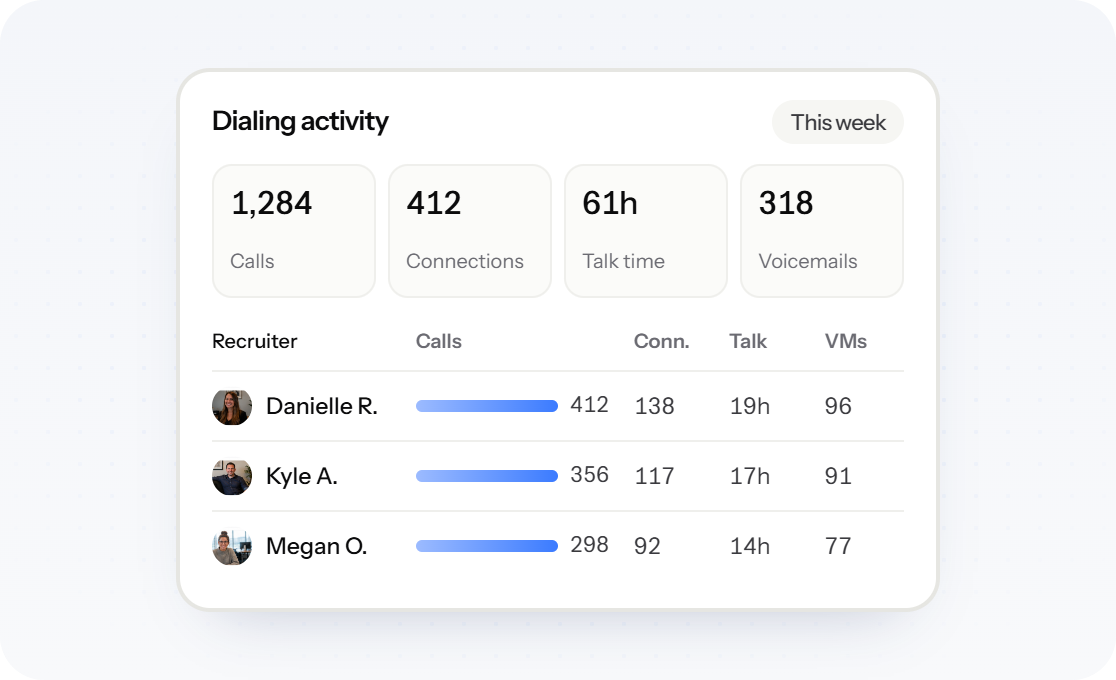
Track calls made, connections, talk time and voicemails by recruiter or across the team, without maintaining a separate spreadsheet.

Moving to CallMantra

  1. 01

    Start with one or two recruiters

    Choose a Bullhorn Tearsheet and try the Power Dialer with one or two recruiters first. Your 14-day free trial includes full Premier access connected to Bullhorn, with no credit card required.

  2. 02

    Bring your existing numbers

    You can keep the phone numbers your team already uses. CallMantra ports your existing numbers, and they stay active with your current provider until the switch.

  3. 03

    Give Premier to the recruiters who need it

    The Power Dialer is included with Premier. Put high-volume recruiters on that plan while keeping the rest of the team on Standard or Pro. Plans are month-to-month, and onboarding is free.

Frequently asked questions

What are the challenges with dialing from Bullhorn?

Bullhorn helps recruiters organize candidates, but working through a call list can still involve a lot of manual work.

You might build a Tearsheet, dial each number individually and wait through every voicemail. Candidates who don't answer may never receive a follow-up text, while call outcomes get entered at the end of the day, if they're logged at all. Unanswered candidates can also sit on a Tearsheet without another attempt.

High-volume calling can create another problem: your business number may start appearing as "Spam Risk."

A Bullhorn power dialer brings dialing, voicemail drop, follow-up texts and call logging into one workflow.

Does Bullhorn have a built-in dialer?

No, Bullhorn ATS doesn't include a built-in dialer. Calling is handled by phone systems that integrate with Bullhorn.

CallMantra's Power Dialer lets recruiters work through a candidate list one at a time and saves each call outcome back to Bullhorn.

What's the best Bullhorn dialer for recruiters?

The best Bullhorn dialer is one that makes a recruiter's day a little easier. If you're looking for the best power dialer for Bullhorn or comparing options for a dialer for Bullhorn, here's what to look for:

  • Can you call candidates straight from your Bullhorn lists?
  • Does each call get logged to the right Bullhorn record?
  • Can you leave a voicemail or send a text when a candidate doesn't pick up?
  • Does it help keep your business number from getting flagged as spam by carriers?

CallMantra's Power Dialer handles all four, with AI-generated notes for connected calls, so recruiters spend less time updating records and more time talking to candidates.

Power, predictive or multi-line: which Bullhorn dialer fits recruiting?

These dialer types work differently, so it's worth understanding the distinction when comparing options.

A power dialer calls one number at a time. It moves to the next candidate when the recruiter is ready, and anyone who answers is connected directly to the recruiter. CallMantra has a power dialer.

A predictive dialer calls several numbers at once and connects an answer to an available recruiter. These systems are often used for high volume sales calling, including some Bullhorn CRM sales dialer and Bullhorn CRM call center setups.

An auto dialer is the broader term for software that places calls automatically.

If you're comparing a Bullhorn CRM predictive dialer, Bullhorn CRM progressive dialer or Bullhorn CRM multi-line dialer, think about how each one fits the way your recruiters work.

CallMantra's power dialer for recruiters places one live call at a time and helps recruiters handle unanswered calls with voicemail drop and follow-up texts.

What gets logged to Bullhorn after each call?

The call outcome, such as connected, no answer or voicemail left, is saved to the matching candidate or contact record.

For connected calls, the recording and AI-generated summary are added as well. Follow-up texts are logged alongside the call, giving your recruiters a record of what happened.

Can each recruiter work their own list?

Of course. Each recruiter can run their own dialer session using their own list and working at their own pace.

Do I need a separate phone system for the dialer?

No. The Power Dialer is part of CallMantra, which also provides your business phone system. Recruiters can make outbound calls, handle inbound calls and send texts using the same number.

Which CallMantra plan includes the Power Dialer?

The Power Dialer is included with Premier. You can mix plans across your team.

Premier costs $79.95 per user per month when billed annually, or $99.95 per user per month on a month-to-month plan. The 14-day free trial includes full Premier access.

Can we switch from another Bullhorn dialer without losing our numbers?

Yes. CallMantra can port your existing business numbers, and they remain active with your current provider until the switch is complete.

Ready to make calling easier in Bullhorn?

Give your recruiters a faster way to work through candidate lists, follow up on missed calls and keep every conversation logged in Bullhorn.